 Huba
HubaTask Management
How to search, filter, sort, and manage tasks in Huba.
Searching
Press : to focus the search input. Search is case-insensitive and matches against both subject and description fields. Results update in real-time as you type.
Escape— clear search text (first press) or exit search (second press)Enter— confirm search and return focus to task table

Filtering
Press Shift+F to cycle through status filters:
All → Pending → In Progress → Completed → All
The active filter is shown in the task table footer. The "Pending" filter matches both pending and blocked statuses.
Sorting
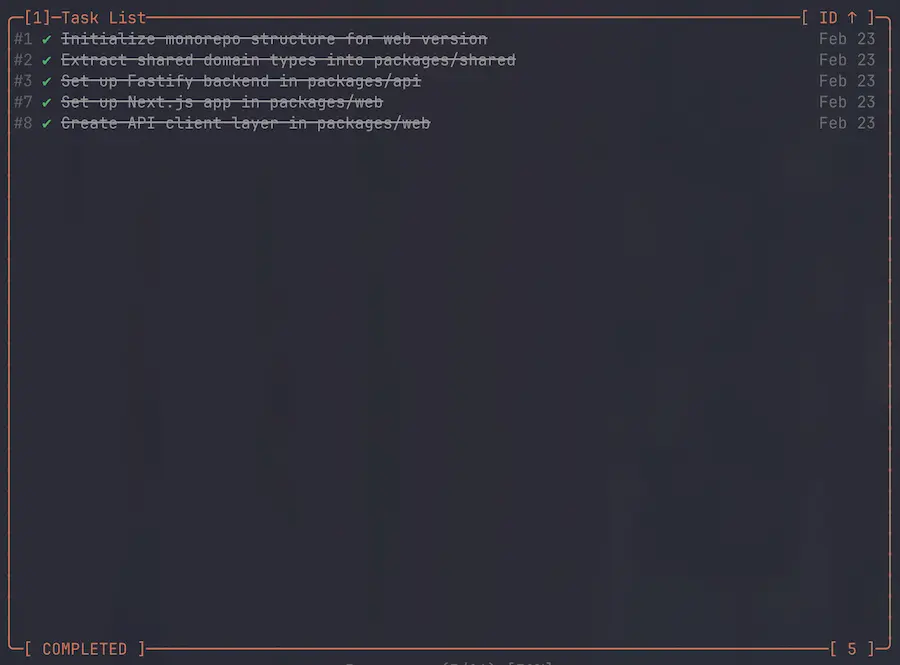
| Key | Sort By | Notes |
|---|---|---|
Shift+I | ID | Numeric comparison for numeric IDs |
Shift+T | Title | Alphabetical by subject |
Shift+S | Status | Order: in_progress → pending → blocked → completed |
Shift+D | Date | By last modified time |
Pressing the same sort key again toggles between ascending and descending. The current sort field and direction are shown in the table subtitle.
Task Details
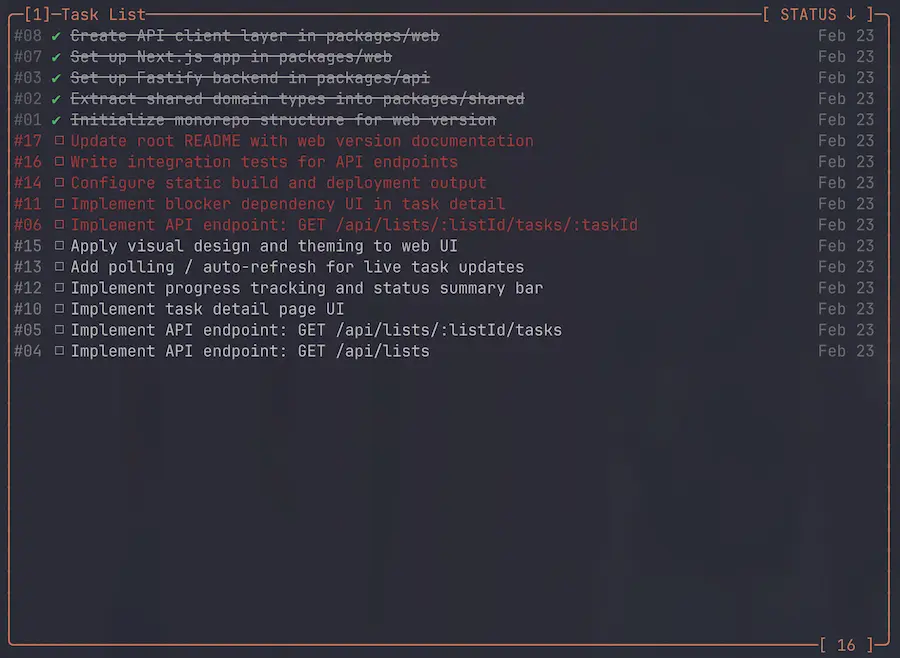
Spaceor/— toggle the inline details panelEnter— open the full-page details viewh— switch between horizontal and vertical layout
The details panel shows the task ID, subject, status, and description rendered as markdown in a scrollable area.
Dependencies
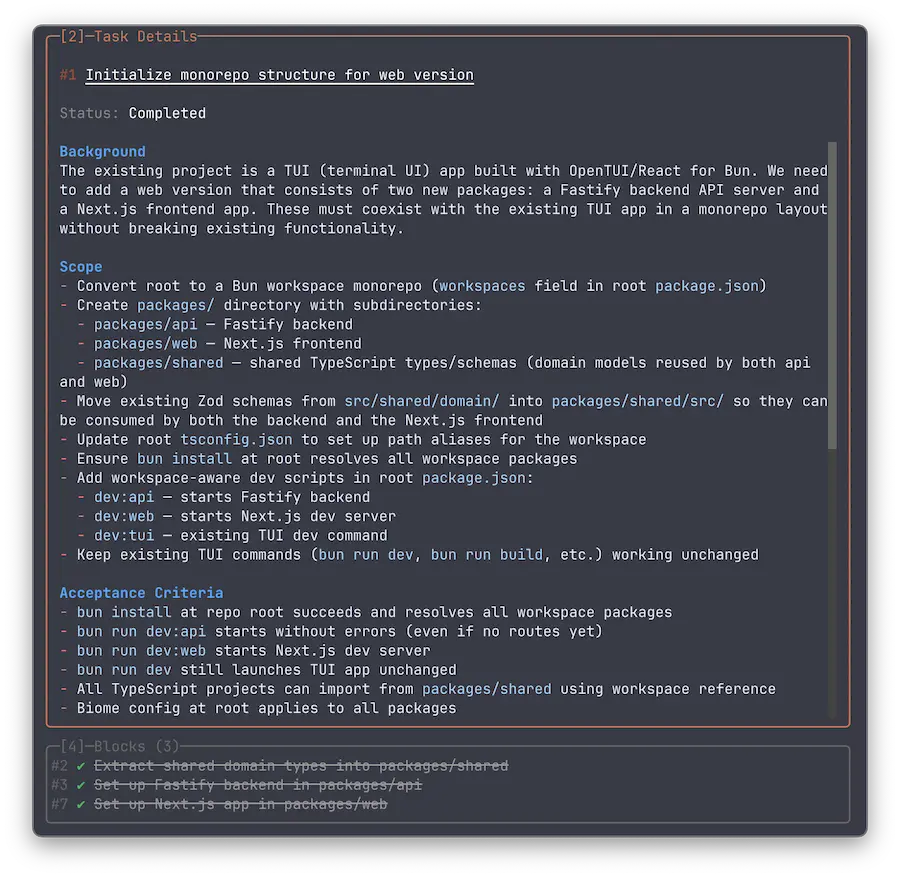
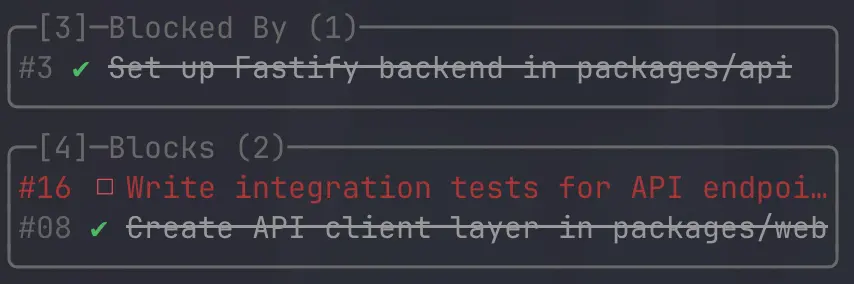
Tasks can have dependency relationships:
- Blocked By (panel
3) — tasks that must complete before the selected task can start - Blocks (panel
4) — tasks that are waiting on the selected task
Both panels show the dependency count in their title (e.g., "Blocked By (2)"). They are hidden when no dependencies exist. Selecting a dependency navigates to that task in the table.
Progress Tracking
The task table footer displays a progress summary showing completed tasks vs total tasks for the current filter. Progress is calculated in real-time as task statuses change.

Real-Time Updates
Huba watches task directories for changes using a file watcher. When Claude Code creates, modifies, or deletes a task file, the UI updates automatically.